
QuickBooks Desktop Is Ending — Here’s Why Businesses Are Transitioning to QuickBooks Online NOW
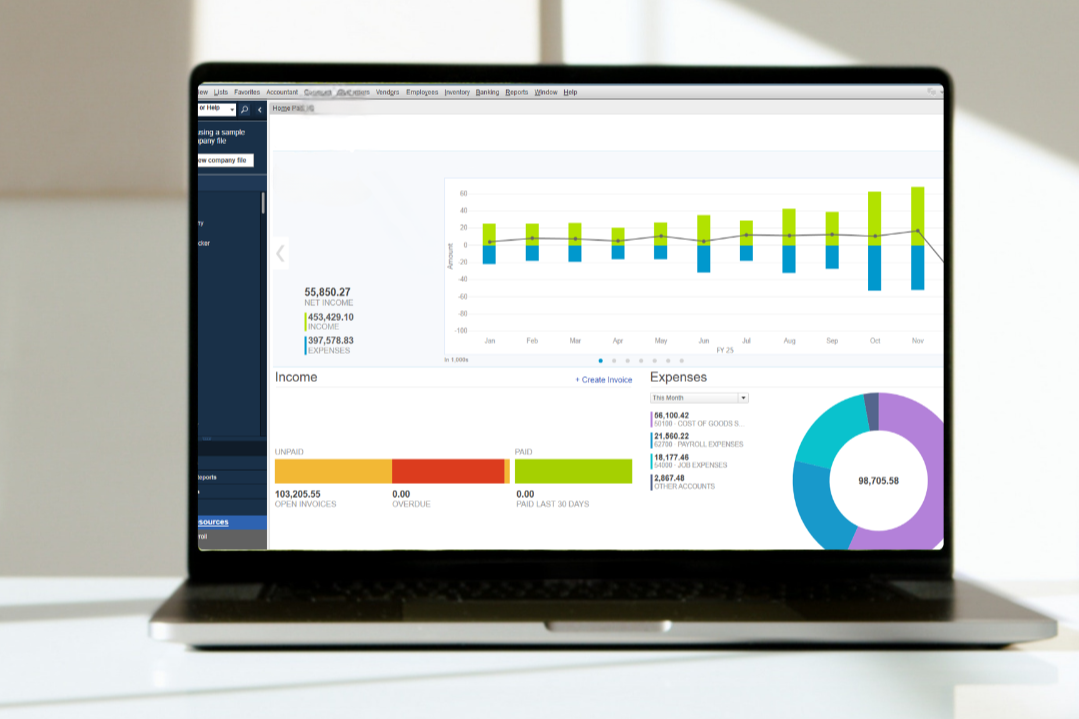
Why Are Businesses Moving from QuickBooks Desktop to QuickBooks Online? Most don’t switch because something is broken—they switch because they want greater visibility, easier collaboration, and more efficient use of their time and resources.
Access your financials from anywhere
Work from any location—ideal for distributed teams, board members, and remote staff. No more “remoting in” to a computer or server via complicated 3rd party setups.
Real-time visibility for better decisions
See up-to-date financials anytime, helping leadership and boards make informed decisions when it matters most.
Simpler collaboration with your team and advisors
Your staff, bookkeeper, and accountant can work in the same system—no more sending files back and forth.
Less manual work, more time for your mission
Automation, AI features and bank feeds reduce data entry, freeing up time for higher-impact work.
Fewer IT demands
No need to manage installs, updates, or backups—everything is handled securely in the cloud.
Scales as your organization grows
Easily add users, locations, and integrations as your programs and funding expand.
An upgrade to new software means an upgrade to processes.
If you are using old school QB Desktop software, your bookkeeper is likely doing a lot of tasks an old-fashioned, inefficient way.
Important Timing Note: QuickBooks Desktop will no longer be supported by Intuit after 2027.
Top Reasons Businesses Liked the Move:
“We didn’t realize how much time we were spending on manual processes.”
“Reporting to the board is much easier now.”
“Our accountant collaboration is so much smoother.”
“We can access what we need without being in the office.”
“Month-end is less stressful and more predictable.”
“We don’t worry about backups or losing data anymore.”
Not Sure Yet? Just Remember…You Don’t Have to Decide First
You don’t have to fully commit to QuickBooks Online to start the transition. We’re sharing our experience to back that up. Our team has worked with clients on transitions as a low-risk way to explore QuickBooks Online while staying fully supported and in control of the decision.
Evaluate with your real data – not a demo
Keep your Desktop file – nothing is lost
Move on your timeline – avoid a rushed switch later
Start seeing benefits right away
How We Make the Transition Easy (and Go Beyond a Standard Conversion)
At Numbers in Boxes, we don’t just convert your system—we provide a thoughtful, low-risk transition experience designed to minimize disruption, ensure accuracy, and fully support your team every step of the way.
We help you get ahead—on your timeline
QuickBooks Online is evolving, but there’s no need to rush. We guide you through the transition at the right time, so you’re prepared—not reacting under pressure.
We plan around your operations to minimize disruption
We work with you to choose the right timing—avoiding year-end, audits, or busy periods—so the transition is smooth and low-impact.
We give you clarity while you evaluate
You don’t have to fully commit upfront. We help you use QuickBooks Online with your real data while keeping Desktop accessible, so you can make decisions with confidence.
We make adoption easy for your team
We work to make your team can get comfortable without disruption or resistance.
We help you validate how your organization actually works
From reporting to approvals, we ensure your workflows function properly in QuickBooks Online—so there are no surprises later.
This isn’t just a system change—it’s a more efficient, transparent, and flexible way to manage your organization’s finances, with a transition process designed to be smooth, accurate, and fully supported.
What Makes Our Process Different
-
Your team stays focused on your mission while we manage the transition from start to finish.
-
We review your financials and run checks to ensure everything transfers accurately.
-
From historical data to key functions like payroll, we make sure nothing critical is disrupted.
-
Your system is fully set up so you can start using QuickBooks Online immediately.
-
We walk you through what to expect and provide a summary of how your transition went.
-
Your QuickBooks Desktop file remains accessible for reference at any time.
-
Training and follow-up are included to ensure everything continues running smoothly.
We work hard to make sure our clients feel comfortable with the switch so we can move forward working together in QuickBooks Online. We’re here to help if you have any questions!